VERY Creative and Impressive iPad Presentation
https://youtube.com/watch?v=qSA3Cvo4ff0
Thanks Tony R. for the link to this great presentation.
– Troy @ TLC
https://youtube.com/watch?v=qSA3Cvo4ff0
Thanks Tony R. for the link to this great presentation.
– Troy @ TLC
I just found out about this (thanks Paul!) and thought others might be interested.

CreativeLIVE is offering an online workshop taught by Laura Shoe, a photographer and instructor from Seattle. Lightroom is Adobe’s incredible digital photography toolbox. The course description says it covers the fundamentals of Lightroom: how to import, organize and edit your photos and videos, create, copy and share and an overview what’s new Lightroom 4.

Get the full details here.
– Troy @ TLC
I have been experimenting with “CloudOn” for the iPad which launched just a month ago. The company description “Use the CloudOn workspace on the iPad to access your files and manage them.” “Edit, review and present docs in Microsoft Office” is a good summary of the offering.
Here are a few screen captures of designing slides on my ipad:
– This is the real PPT 2010, so the same ribbon interface and options (some features are disabled).
– The smaller iPad screen size was a factor in editing slides.
– I really like the keyboard CloudOn uses with all of the Function, CTR, ALT and other keys.
Basically, you are accessing a remote version of Microsoft Office 2010, just like you can connect to your computer through your iPad using LogMeIn or other remote access apps. Of course, the service means you must be online to work in PPT, so WiFi is good or your monthly bandwidth may get a lot more use. It is the real PPT 2010 interface, which is not touch sized (I tap on the wrong icon a lot) and has no gesture control.
For me, it is a fun novelty that does prove more valuable for presenting than designing slides.
– Troy @ TLC
For many live meetings, a speaker timer, a countdown clock presenters on stage see to know how much longer they have in their allotted time, is very valuable. There are speaker timer units that use proprietary control unit and display, software to run on a computer and display on a monitor (my favorite is “SpeakerTimer Pro” by the company that developed the Playback Pro system – it has the “Timewarp” feature to smoothly adjust the timer to be what you need, not what a real clock would say) and I also have a countdown slide deck (120 slides set to auto advance every 60 seconds).
But having a full computer inline for such a simple task is overkill. Here is a recent show where I loaded up my countdown presentation into Keynote on the iPad, connected the iPad to the monitor and saved a lot of desk space (and lightened my tech case by not needing to pack a computer for the task).

– Troy @ TLC
Fellow PPT MVPs Glenna Shaw and Luc Sanders have an online tutorial posted on the Microsoft MVP Blog that has great information. See it here.

While the PPT Web App is still limited compared to the full application, it is the best online option available at this point from any of the offerings (and it keeps your PPT file as a PPT file). If you have not tried the PPT Web App, this tutorial walks through the process of setting up the (free) account needed and offers tips on using it.
– Troy @ TLC
Design requests are always diverse and some things can still be developed more dynamically in video editing vs. PPT. TLC Creative Services did slide makeovers for all the presentations at this meeting, but I spent some time in the video edit suite to develop this quick animation to kick off one of the meeting segments.
[youtube src=”https://www.youtube.com/embed/buUOoE7jucc?rel=0″]
– Troy @ TLC
This is a fun video I created that shows a mid-size show being loaded in (setup) I was the graphics/PowerPoint designer and operator on (thanks to Paul Chrisope of Video Resources for sharing the photos).
[youtube src=”https://www.youtube.com/embed/5Y7mAk4x5ZE?rel=0″]
Check out the next post were I show how the video was created with PPT.
– Troy @ TLC
If you can head to Arizona this week, this Saturday, November 5 is the Desert Code Camp event. This is the first year it is offering an MS Office specific track – thanks for several Microsoft MVPs, including my friend Kathy Jacobs (OneNote MVP and former PPT MVP). The event is in Chandler, Arizona.

Get the details here.
– Troy @ TLC
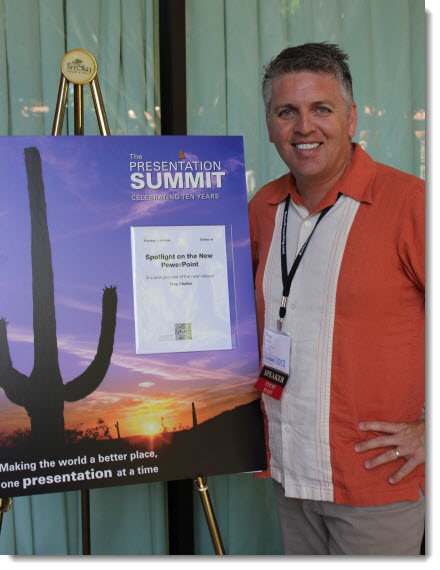
Joy Miller at Microsoft Office Online added a blog post to Office Online PowerPoint blog about this year’s Presentation Summit. Read it here.

– Troy @ TLC

PowerPoint To Go (PPT-to-go.de) is a company based in Germany and offers a collection of PowerPoint templates that are free. The main categories are maps and nice looking 3D shapes in colorful layouts.

Unfortunately, we were not too impressed with the site. To access the free templates you must go through a registration process – for 1 template per month. While registering, the site timed out twice with a fatal error on the server being reported. It took four log in attempts before successfully accessing the downloads page. So the online experience was far from smooth.
The template downloaded is a .ppt (PPT 2003) and on our systems it opened with a corrupt file warning.
The thumbnail image on the download page was very different (and visually better) than the actual slide:

I had expected to see a full PowerPoint template with all of the master slide formatting preset. There is minimal template formatting in place and it is actually more jumbled than the MS default (and uses the German language dictionary).

Many of the thumbnails look great and I would recommend using just the content (map, 3D pyramid, etc.) by importing into your template and not using the PowerPoint to Go file as a template.
– Troy @ TLC