
Remove Old Presentations from PowerPoint’s “Recent” List.
Have you ever gone to open a PowerPoint file, selected a presentation from the RECENT list, and got the “File-not-found” error message?
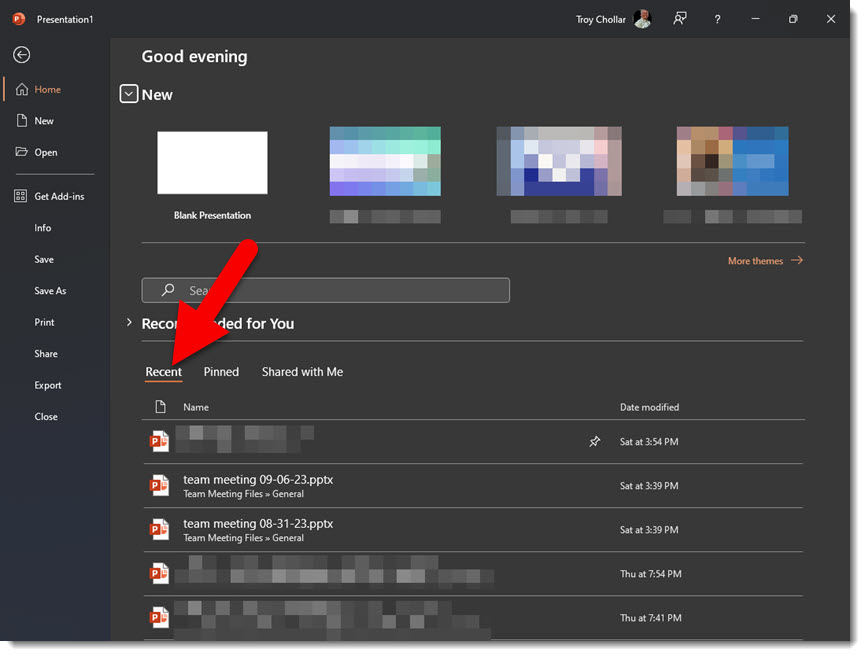
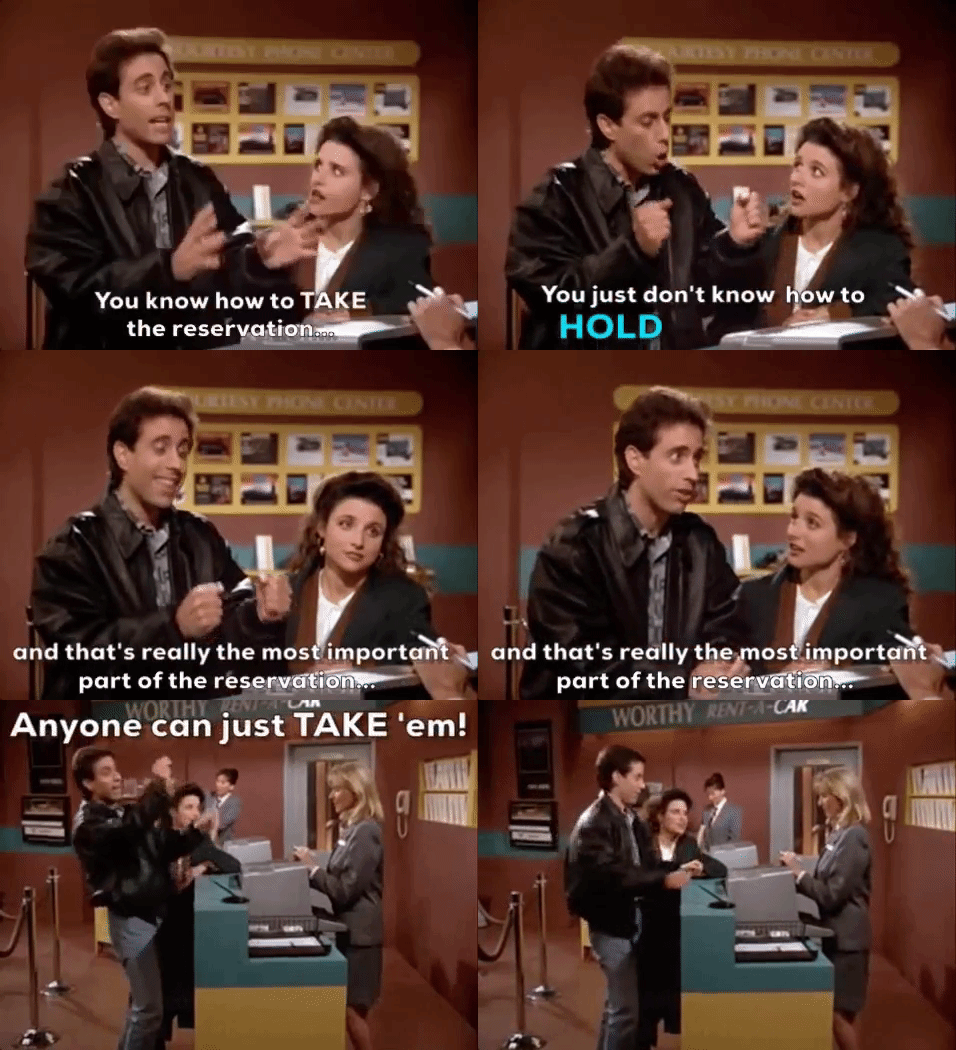
I have found that PowerPoint, and all Office Apps, are not really good at keeping track of files listed in the Recent list. Once a file is added to the Recent list, the listing stays there – even if the file is moved to a different location, renamed or deleted – for all time, and the original location and name are what’s referenced. Essentially, PowerPoint can take the file name, but it doesn’t guarantee it will be available when you click on it.
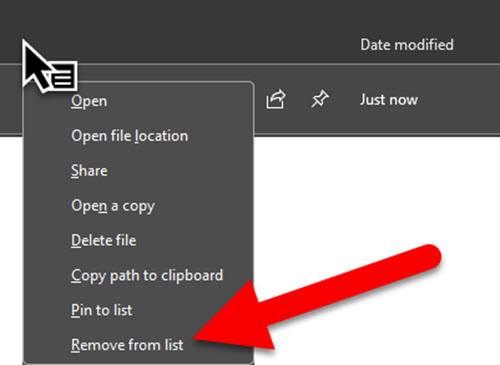
There is an option to manage what is displayed in the Recent menu, but it’s not easily discoverable. Right-click on the line with the file that should not be displayed in the Recent list. Then select REMOVE FROM LIST. The file is not being deleted. Only it being displayed on the Recent list will be removed.
Troy @ TLC
I need the PMS color for this RGB design!
With Adobe dropping PMS (Pantone Match System) colors from all of their apps, everyone needs to use external solutions for when the client asks, “What is the PMS of the blue in the logo for our printer?”
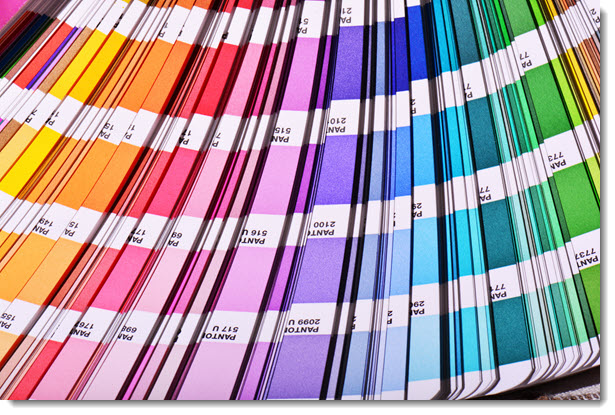
The Pantone Matching System (PMS) is considered a standard for print design, and still very much in use. It is a standards system that means the teal color your selected will the same teal color wherever it is printed.
The full PMS color swatch book was available in all Adobe applications (Photoshop, Illustrator, InDesign, etc.) through 2022. The Pantone company moved to a subscription model, Adobe removed PMS colors, and everyone is welcome to subscribe to the Pantone Connect subscription, which has an online converter, and Adobe app plug-in to access the 15,000+ specified PMS colors (for ~$90/year).
For TLC Creative, our primary need for PMS colors is a few 1-2 color offset printing (using real inks) or screen printing (e.g. t-shirts). For these projects I have been using this free online RGB-to-PMS converter. Find it here.
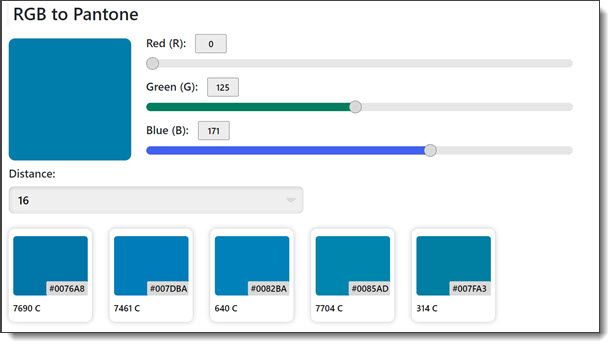
Set the RGB value and it provides a set of potential PMS color swatch matches. Easy. Free. Done.
My tip is to use PowerPoint to assist with selecting the best PMS color swatch. I use Snagit to capture the color chip options, which are pasted onto a slide. Then add a PowerPoint rectangle and set it to the RGB value. This creates a more visual comparison of the RGB to PMS options.
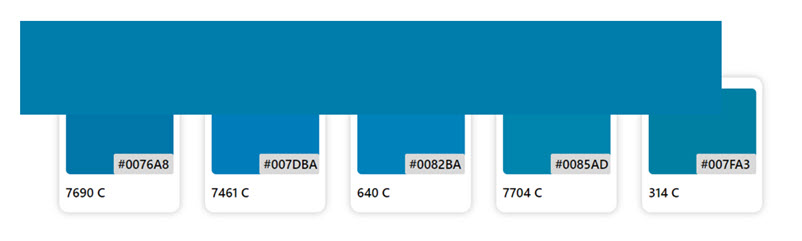
As seen with this example, PMS colors are often not an exact match to the virtually infinite color range of RGB. And there are considerations for monitor calibration and other factors. But, I am confident in the process and providing printers with the needed PMS values for the client printing. These are from a real project, and we specified PMS 314 C.
Troy @ TLC
Make PowerPoint Rounded Corners the Same!
Rounded corners are a subtle design accent that is easy to apply to shapes, photos, even videos. But why is there no way to make the corner radius the same across multiple objects on a slide!
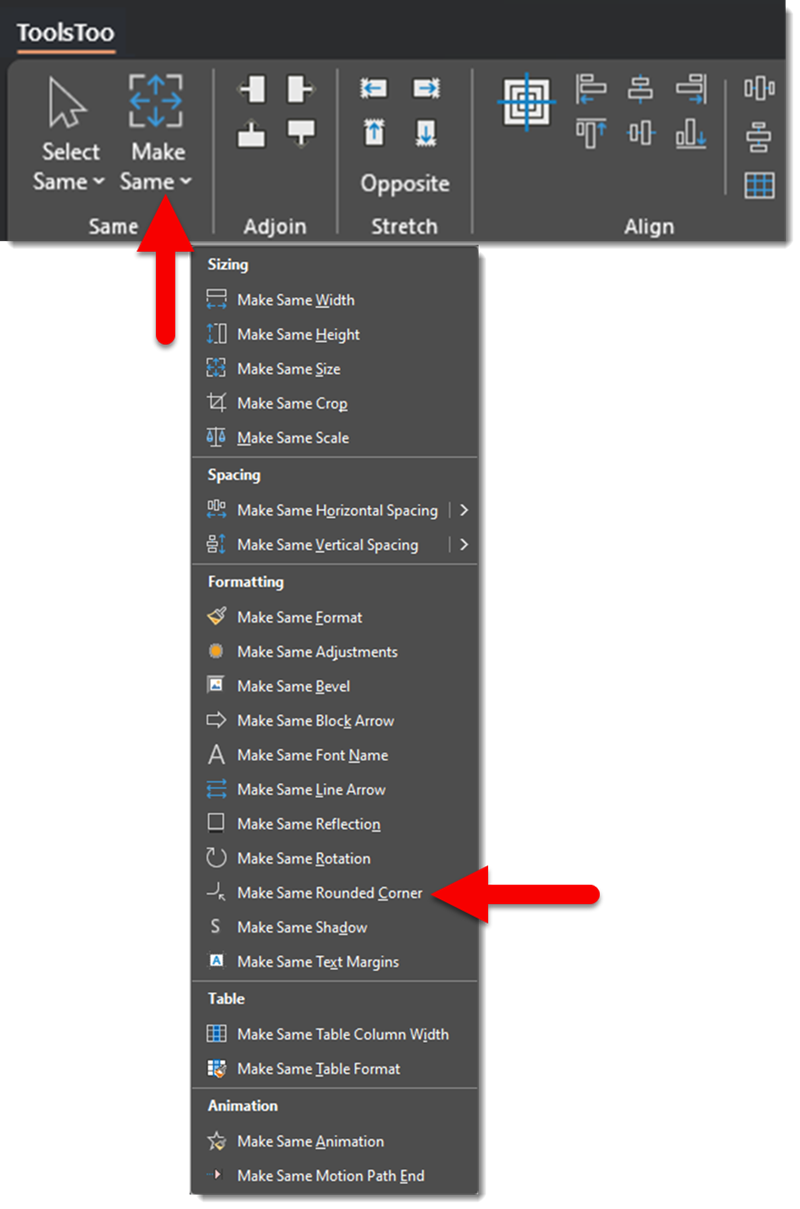
Fortunately, the capability is within PowerPoint, just not exposed on the Ribbon or any of the object formatting dialogs. The ToolsToo add-in suite has added the functionality to easily select multiple rounded corner objects and make the corner radius the same on all (yay 3rd party add-ins!).
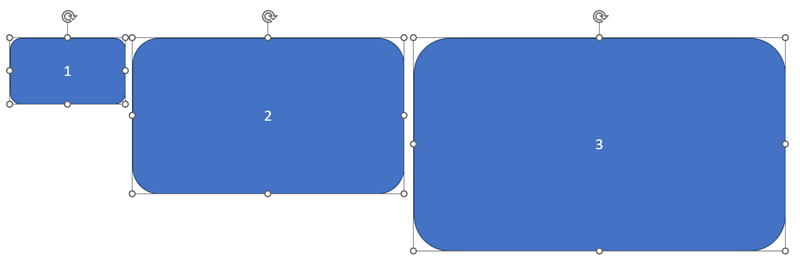
Here is my example slide with 3 rounded corner rectangles. Because the rectangles are different sizes, and the corner radius scales with the shape (where is the “locked corner radius” option Microsoft!) the corner radius is different on each of the rectangles.
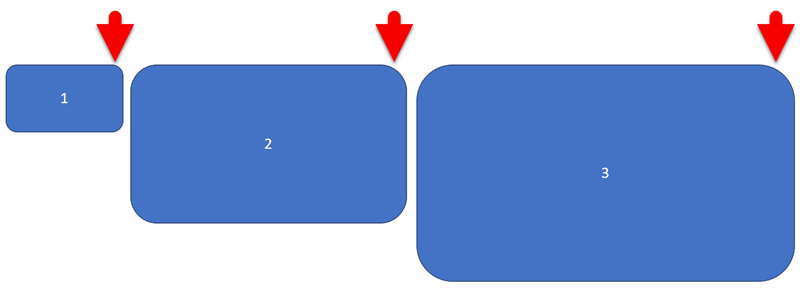
I have selected all 3 shapes, selecting box #1 first, because this is the reference object and all objects will match its corner radius.
Go to the ToolsToo ribbon > Make Same > Make Same Rounded Corner
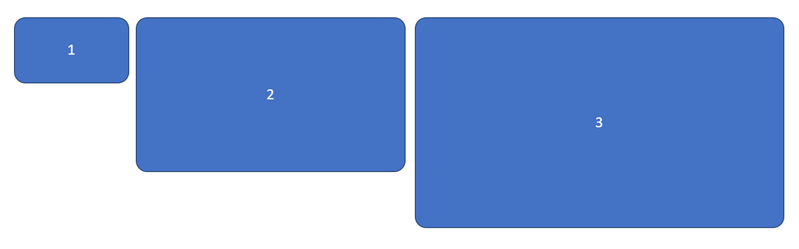
Done! All 3 rectangles now have the exact same corner radius (yay!).
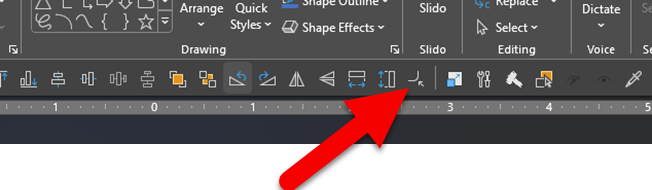
TIP: because I use this tool often, and I have added it to my QAT so it is now an instantly available 1-click formatting thing.
Troy @ TLC
The Presentation Podcast – episode 181!

New episode available today! TED talks and quality presenting are synonymous. Troy, Nolan and Sandy enjoy a conversation with Jacqueline Farrington, a former TEDx Senior Speaker Coach, and author of the just released, and already award-winning book, “Better Presentations. How to Present Like a Pro, virtually or in person.” Join and hear what Jacqueline has to say about presentation design and delivery!
Listen here.
Why Separate Text Boxes Over Shapes is BAD
Continuing on from the previous post, “Circles and Text (that does not fit)“, with some best practice reasons for NOT stacking a text box on top of a shape.
- It is lazy formatting.
- Often it is because knowing how to control PowerPoint’s text formatting within a shape are not features used (see the previous post on using shape internal margins as an example of formatting options that are not commonly used).
- It makes future edits to the slide tedious. As an example, two elements, the shape and the text box, need to be moved together to stay aligned.
- Text boxes stacked on top of a shape generally are not truly horizontally aligned to the shape. As example, a text box stacked on top of a shape with the text horizontally centered is most likely not actually centered, because the text box margins push the text off center – ugh!
- Animation seems easier, but again, a shape and text within the shape can be set as independent elements on the animation timeline – overcoming almost every instance where the two separate elements have been stacked and animated separately.
- The Office/PowerPoint accessibility tools do not work, because they have several limitations on identifying stacked elements. As example, white text on top of a light blue shape is (currently) not seen by the accessibility checker as a flagged low contrast item, because PowerPoint looks at a text box, what that text box shape fill color is, and then the slide background. It ignores layered elements.
- It is easier to manage text line wraps if the text is within a shape vs. manually adjusting – and the line wrap needs are automatically updated when the shape, or the text size, is updated – if the text is part of the shape.

The important message is, creating PowerPoint slides is a balancing act of what is fast and looks okay vs. using best practices to create slides that are future-proofed for easy formatting and use.
Troy @ TLC
Circles and Text (that does not fit)
I really (really) do not like it when a separate text box is placed on top of a circle, because “the text would not fit”. In transparency, this may be exactly what I dealt with while formatting a presentation – and I am solving the problem by showing how to “make the text fit” in a circle.
Here is the common situation. The circle is where it is needed, and the size needed. The text is added to the circle object, but it does not fit and wraps to two lines.
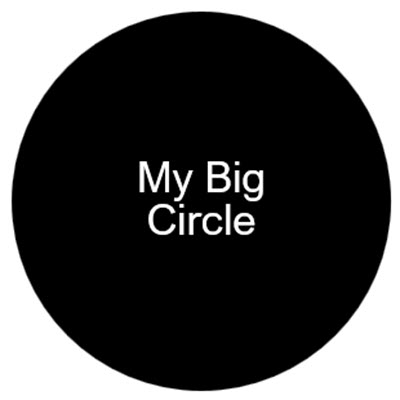
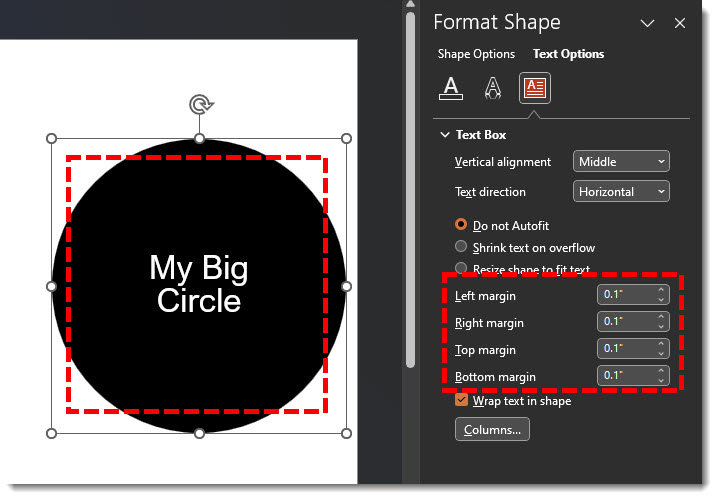
Looking at the circle and its text properties reveals the problem. The circle has an interior text margin applied, making full circle not available for the text.
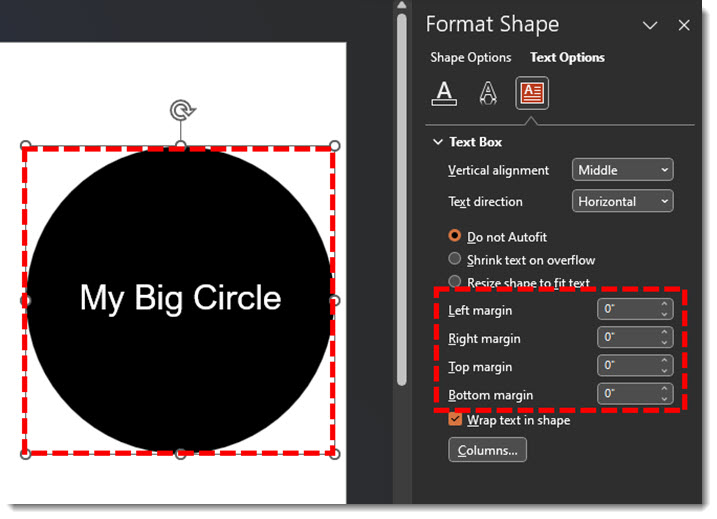
If we remove the interior margin and set the Left/Right/Top/Bottom to zero, the text now has room to fit inside the circle! Same font and font size, the text just needed to be able to get closer to the edge of the circle.
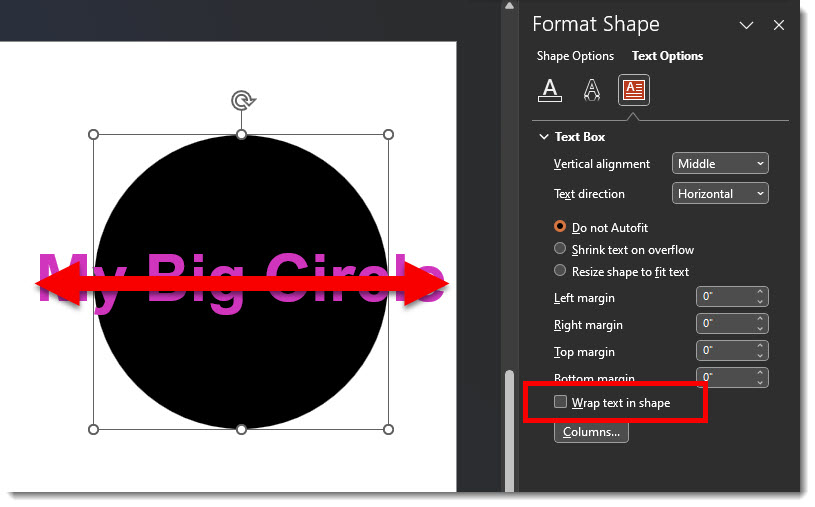
Here I do not want the text to fit, I want it large and overlapping the circle. But PowerPoint is being too helpful and keeping the text inside the circle. Note: the shape margins are set to zero’s (which is great).
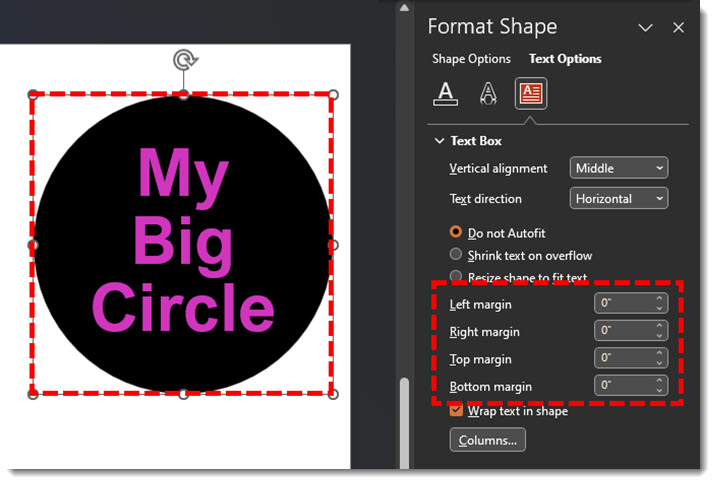
In this situation, turn off the text wrap. This allows the big text to stay as part of the circle, but go beyond the circle shape
Troy @ TLC
Windows Snipping Tool Has Taken Over the PRINTSCREEN Button
I have been a Techsmith Snagit user for a long time, and I use it 10-50 times each day, primarily for screen captures (design feedback where an image is easier than 2 paragraphs, or tutorials like the screen capture images in this blog post!).

Windows added the “Windows Snipping Tool” to the OS, and it is a nice screen capture tool. We use it on our rental fleet of show computers. But I cannot live without Snagit.
A recent Windows 11 update changed the behavior of my PRINT SCRN button – it made the Windows Snipping Tool activate when it was clicked. But I have purposefully set the PRINT SCRN button on my computer to launch the Snagit app. And, the Windows OS settings are different now, making it a bit more awkward to allow a different app (instead of Windows Snipping Tool app) use the PRINT SCRN button. If you found this blog post from a search, I am guessing you too want to change what app is opened when print screen is clicked. Here is the solution:
- Open the Windows Search bar
- Type “Snipping Tool”
- Select the option “Use the Print screen key to open Snipping Tool”
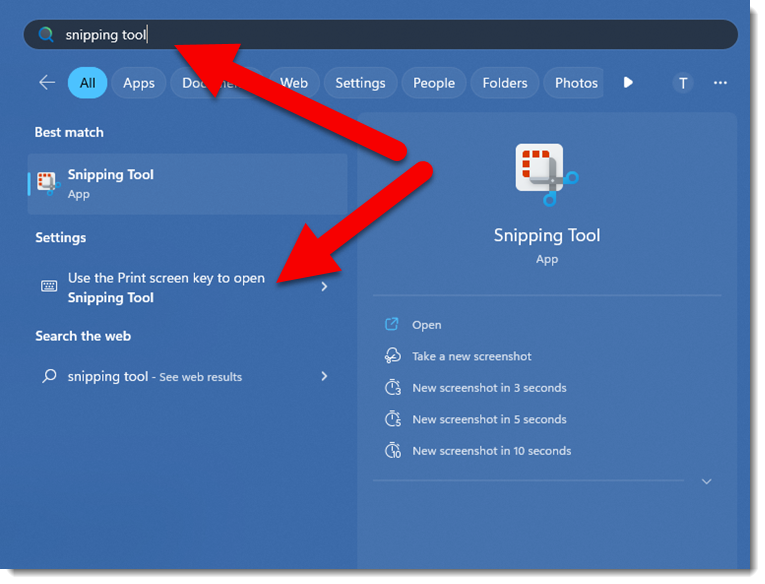
- This opens the Settings > Accessibility > Keyboard dialog
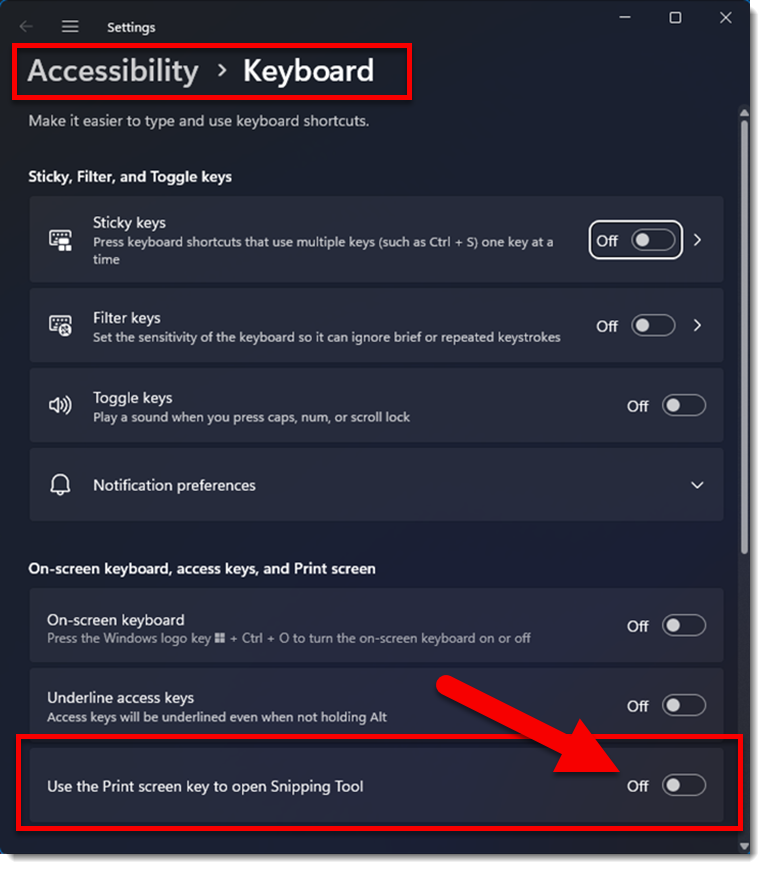
- Turn OFF the option telling Windows to open the Snipping Tool app when the Print Screen button is clicked
That’s it. Now the preferences in Snagit, or any other app, can be set to use the Print Screen button.
Now, here is what I am guessing you did (I did):
- Open the Snipping Tool app
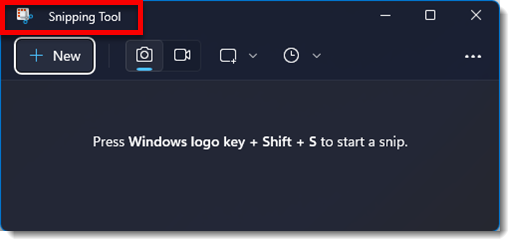
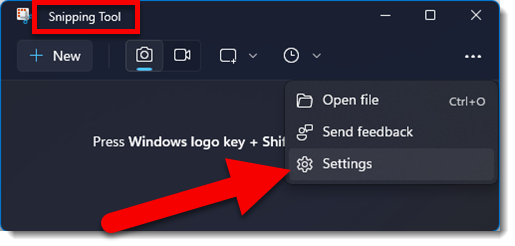
- Click the 3-dot menu and select SETTINGS
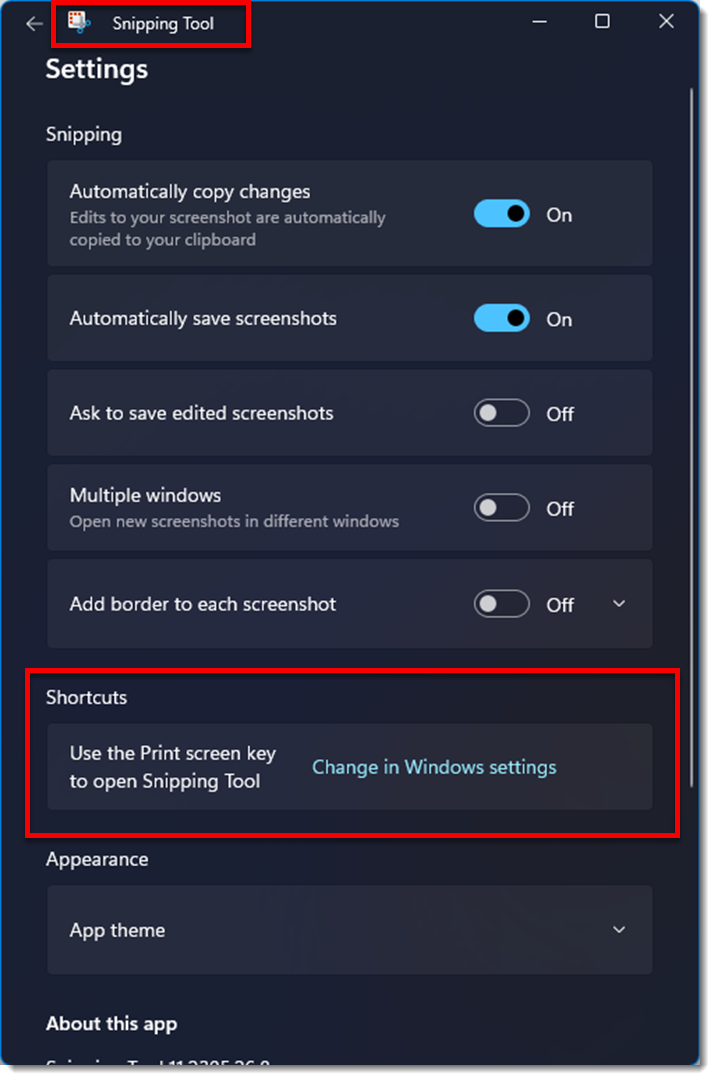
- Scroll down to the SHORTCUTS section and become perplexed by the info to open Windows Settings…
- Eventually go to the Windows Settings and update as noted above.
Keep this blog post handy. I assume each major Windows 11 update will reset this setting and the Print Screen button will revert to opening Windows native screen capture app – Snipping Too.
Troy @ TLC